
Write it once. Send it with confidence.
reWrite rewrites, proofreads and distills whatever you're typing, right where you type it. No pasting into a chatbot. No tab-switching. Just press the key and keep going.
You already know what you want to say. reWrite just makes sure it lands.
Four things, one hotkey.
Fire up reWrite, pick a behaviour, and watch the magic.
Say it better
Turn a rushed draft into a clear, on-tone message. Warm it up, tighten it, or make it sound like you on a good day.
Catch everything
Spelling, grammar, doubled words, stray punctuation. Fixed quietly before anyone else sees the draft.
Find the signal
Drop in a wall of meeting notes and get the two lines that actually matter back in seconds.
Make it scannable
Reshape long, dense text into a clean list people will actually read. Perfect for recaps and handoffs.
Introducing Skills
Build the writing assistant that actually sounds like you.
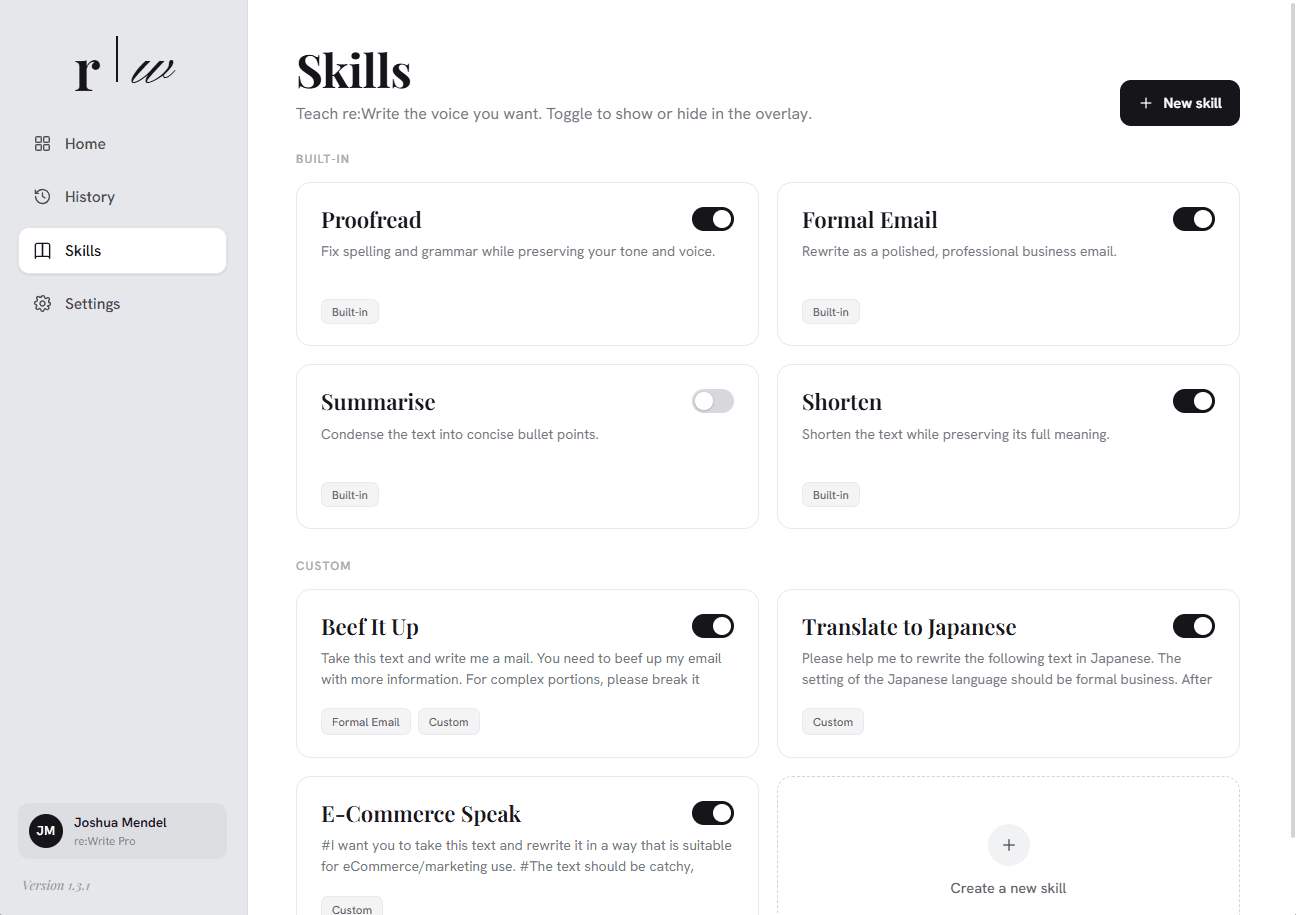
Teach it once, never again.
Show reWrite your tone, your brand voice, your preferred style. It carries that into every rewrite from here on.
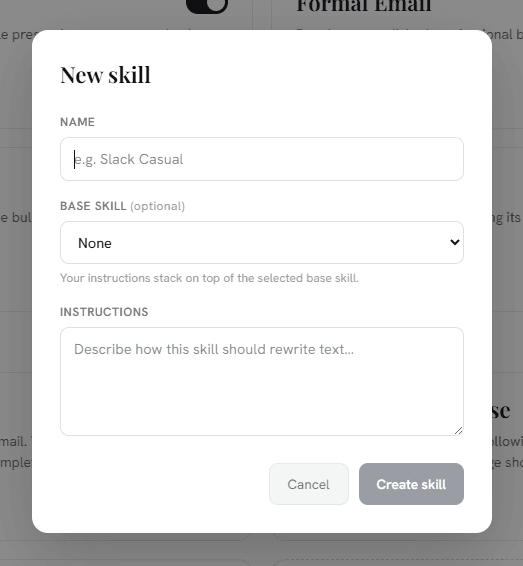
One skill per context.
A formal report calls for a different voice than a Slack message or a campaign summary. Write a skill for each and let reWrite handle the rest.
Delete the copy-paste loop.
The old way takes seven steps and three apps. reWrite is one; and you never leave the cursor you were already in.